Blog

  • Team Office Folsom: Right-Sizing a 3–15 Seat Space

    Team Office Folsom: Right-Sizing a 3–15 Seat Space

    A 3–15 person team should usually choose a private office in Folsom for the desks needed today plus a modest growth buffer, not for its most optimistic 18-month headcount. For many teams, that means starting with three to six desks, moving toward six to ten as attendance becomes consistent, and using shared meeting rooms instead of paying for unused conference space. The right calculation depends on who is physically present, how often people need privacy, and whether growth is planned or merely hoped for.

    I’ve walked founders through this decision enough times to know the spreadsheet is rarely the hard part. The hard part is separating the seats a team needs every day from the seats it might need later, especially for companies based in Folsom, El Dorado Hills, Rancho Cordova, and the Hwy 50 AI Corridor.

    How do you turn a team’s headcount into a desk plan?

    Start with daily attendance, not total payroll. A team of eight people does not automatically need eight desks if three members work remotely most of the week, travel regularly, or spend much of their time with clients.

    The first question I ask is simple: On a normal Tuesday, how many people will actually sit in the office at the same time? That number is your operating headcount. Then add a small buffer for hiring, visitors, contractors, or the occasional day when everyone shows up.

    Here is the planning framework I use with small teams:

    Team headcount today Desks to plan for Reasonable growth buffer Meeting room need
    3 people 3–4 desks 0–1 additional seat 4–6 person meeting room as needed
    4–6 people 5–7 desks 1 additional seat 6–8 person meeting room periodically
    7–10 people 8–10 desks 1–2 additional seats 8–12 person meeting room for team sessions
    11–15 people 11–15 desks, depending on attendance 1–2 additional seats 10–15 person meeting room for larger sessions

    This is not a real estate formula. It is a way to avoid paying for capacity that does not support the work happening now.

    The distinction is especially important for distributed teams. The Bureau of Labor Statistics’ 2025 annual telework table counted 35.389 million people who teleworked or worked at home for pay during the year. That does not tell you how many desks your team needs, but it does reinforce the planning question: how often will each person actually use the office?
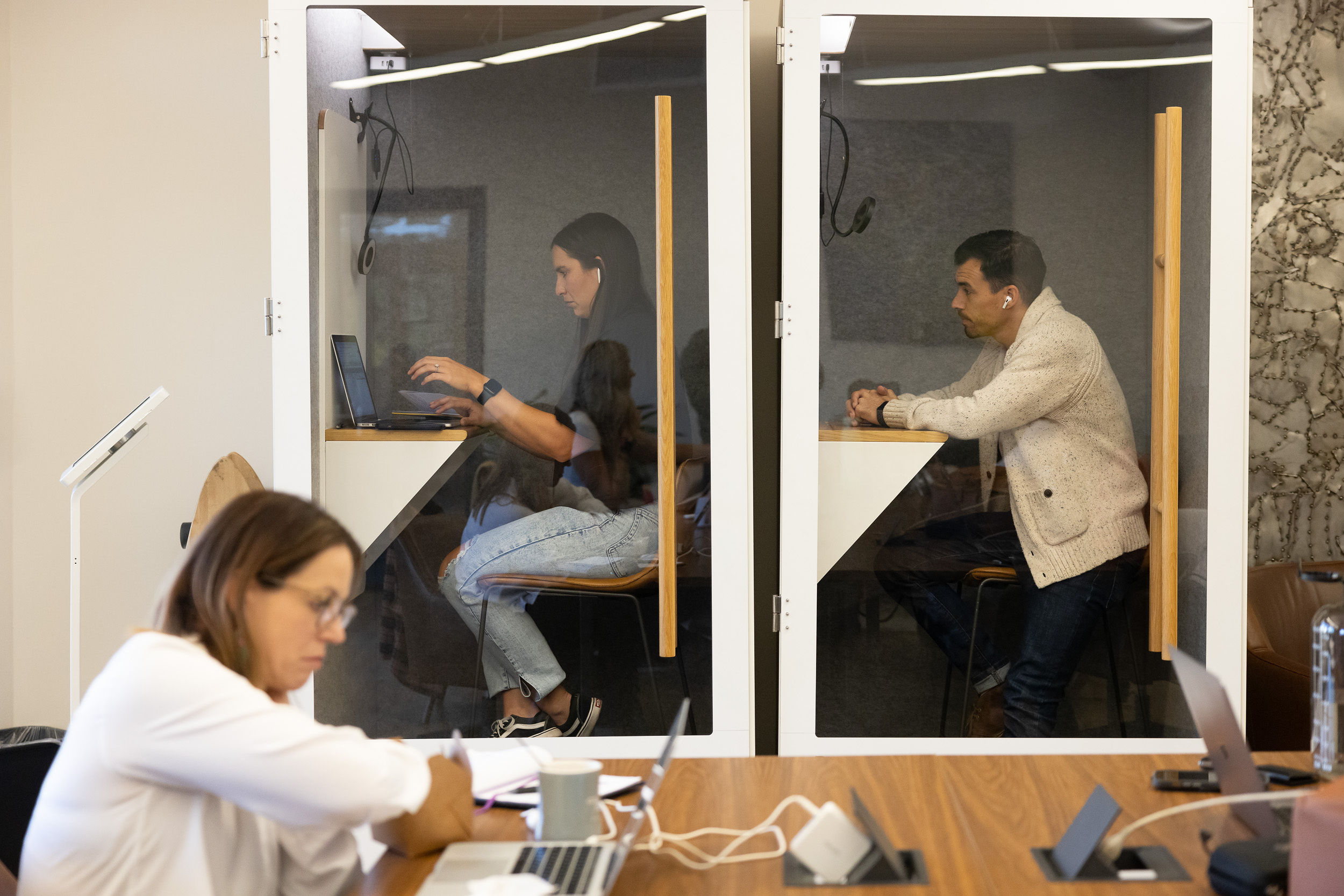
    Members using private phone booths for focused calls, illustrating how privacy can supplement a smaller team office

    For teams comparing coworking, a private office, a traditional lease, and working from home in Folsom, our comparison of coworking, private office, leases, and working from home in Folsom provides the broader decision framework. This article is narrower: once you know you need a private office, how much office should you take?

    What should a 3–15 person team office include?

    A good team office supports daily work without trying to duplicate every function of the building. Desks, secure storage, reliable connectivity, and enough room to move matter more than an oversized table that gets used twice a month.

    For a three-person team, the office should feel comfortable at full attendance. If three people are shoulder-to-shoulder with nowhere to put bags, screens, or documents, the office is already too small.

    For a team of four to six, I usually look for enough room to add one workstation without rebuilding the layout. That extra seat helps with the next hire, a visiting executive, or a contractor.

    For seven to ten people, layout matters as much as seat count. Can people move in and out without interrupting calls? Is there enough separation between focused work and spontaneous conversation?

    Granite City currently publishes furnished private offices for teams of one to ten, with month-to-month terms and shared amenities. That makes a smaller private office practical for a company that wants a door and a stable home base without building a full standalone office. Teams planning for eleven to fifteen people should treat the ten-seat mark as a decision point and confirm the right configuration rather than assume a specific office is available.

    A private office in Folsom can also make sense for a team whose members live in different parts of the region. A private office in El Dorado Hills may be closer for some employees, while a Folsom location may better connect a distributed team across Rancho Cordova and the Hwy 50 AI Corridor. The best location is the one that the core team will actually use.

    How much growth buffer should a small team office carry?

    A small team office should usually carry one or two extra seats, not an entire future department. The buffer should protect the team from immediate friction while keeping the office connected to current usage.

    A five-person team does not need a fifteen-seat office because the hiring plan says fifteen. Just as important, a six-person team should not squeeze into four seats if a new hire or client visit will immediately break the setup.

    I prefer a buffer tied to a trigger:

    • One extra seat when the next hire is approved and expected soon.
    • Two extra seats when recruiting is active and the team is already using every desk.
    • A larger move when attendance stays above current capacity for several weeks.

    That repeated pattern matters more than one busy week. Look for people regularly waiting for desks, packing equipment away, or moving meetings into unsuitable areas.

    JLL’s analysis of the flexible office space imperative reports global office utilization averaging 54% against a 79% corporate target. The broader lesson is useful for small teams: planned capacity and actual use are often different. Right-sizing is not about finding the smallest possible office. It is about avoiding a permanent commitment to space that sits unused.

    When should meeting-room needs change the office plan?

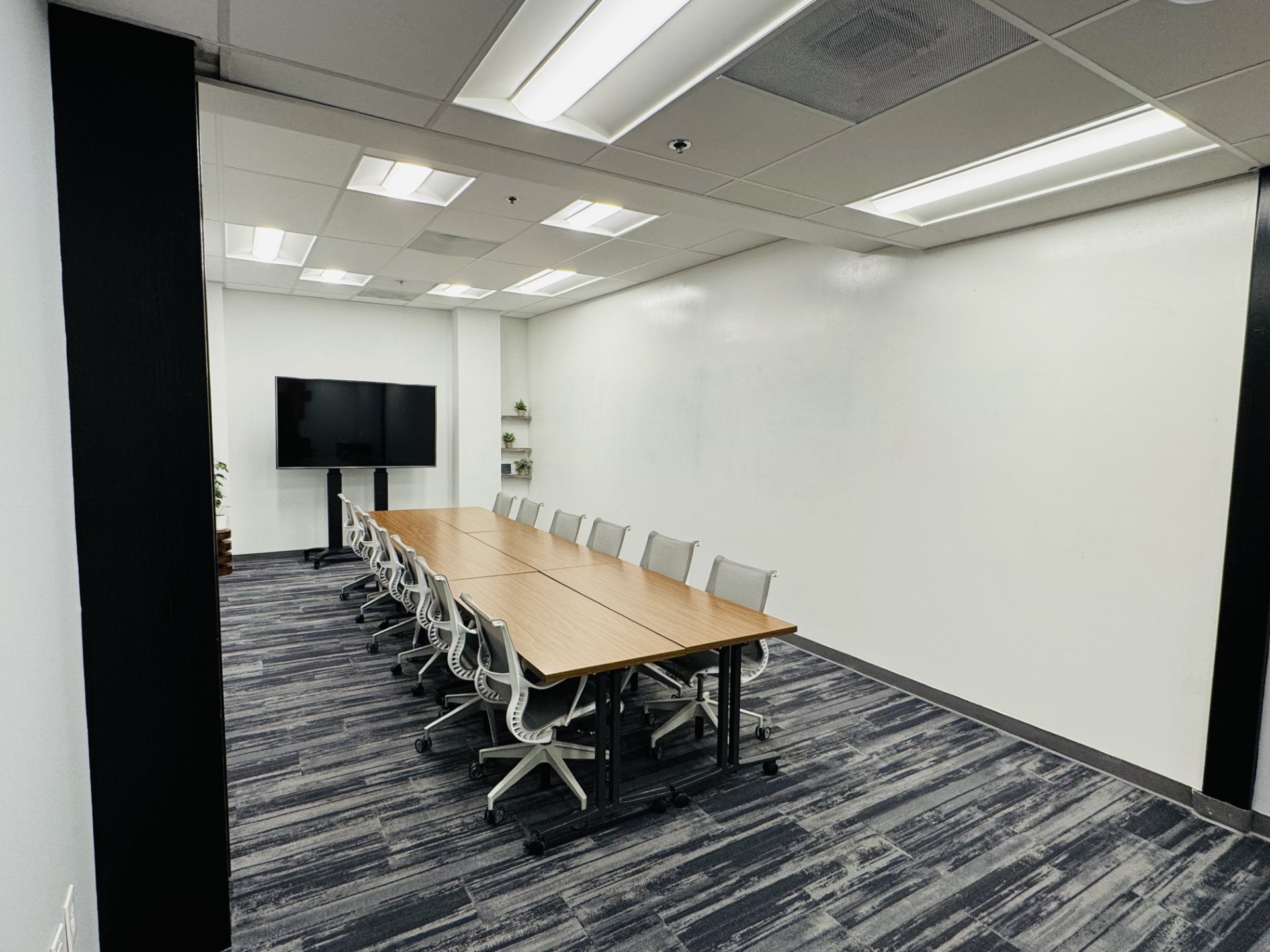
    Meeting rooms should change your office plan when the team needs them frequently, not simply because the team may someday host a large meeting. Keep everyday desks in the private office and use a meeting room for work that genuinely requires a larger table, presentation setup, or separation from daily production.

    A team of three may need a private office for confidential calls but only an occasional four-person meeting room. A team of ten may still need a private office sized for desks rather than a fifteen-person table if all-hands meetings happen once a month.

    I ask three questions:

    1. How often will the full team meet in person?
    2. Will clients, candidates, or partners join those meetings?
    3. Does the meeting require a display, whiteboard, hybrid call setup, or additional privacy?

    If the answer is “occasionally,” shared meeting-room access is usually more sensible than sacrificing several desks to build a permanent internal meeting area. If the answer is “every day,” the team may need a different layout or a larger private office.

    Before you choose a room, review our guide to choosing a meeting room in Folsom for a strategic offsite. It covers the practical details teams often miss, including privacy, technology, room flow, and the difference between a room that merely holds people and one that supports useful decisions.
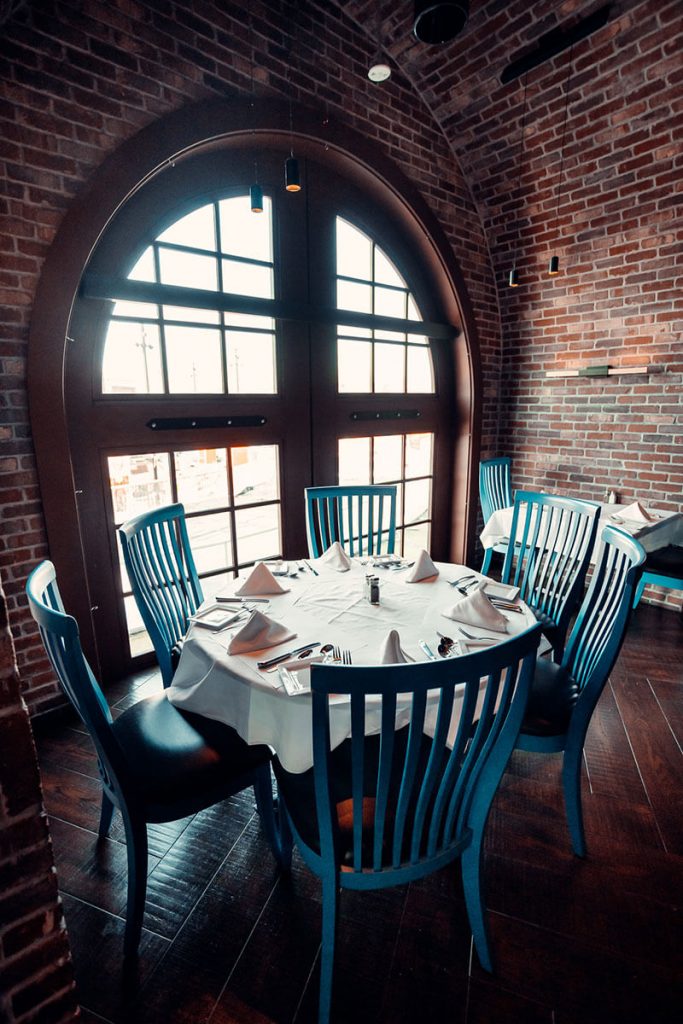
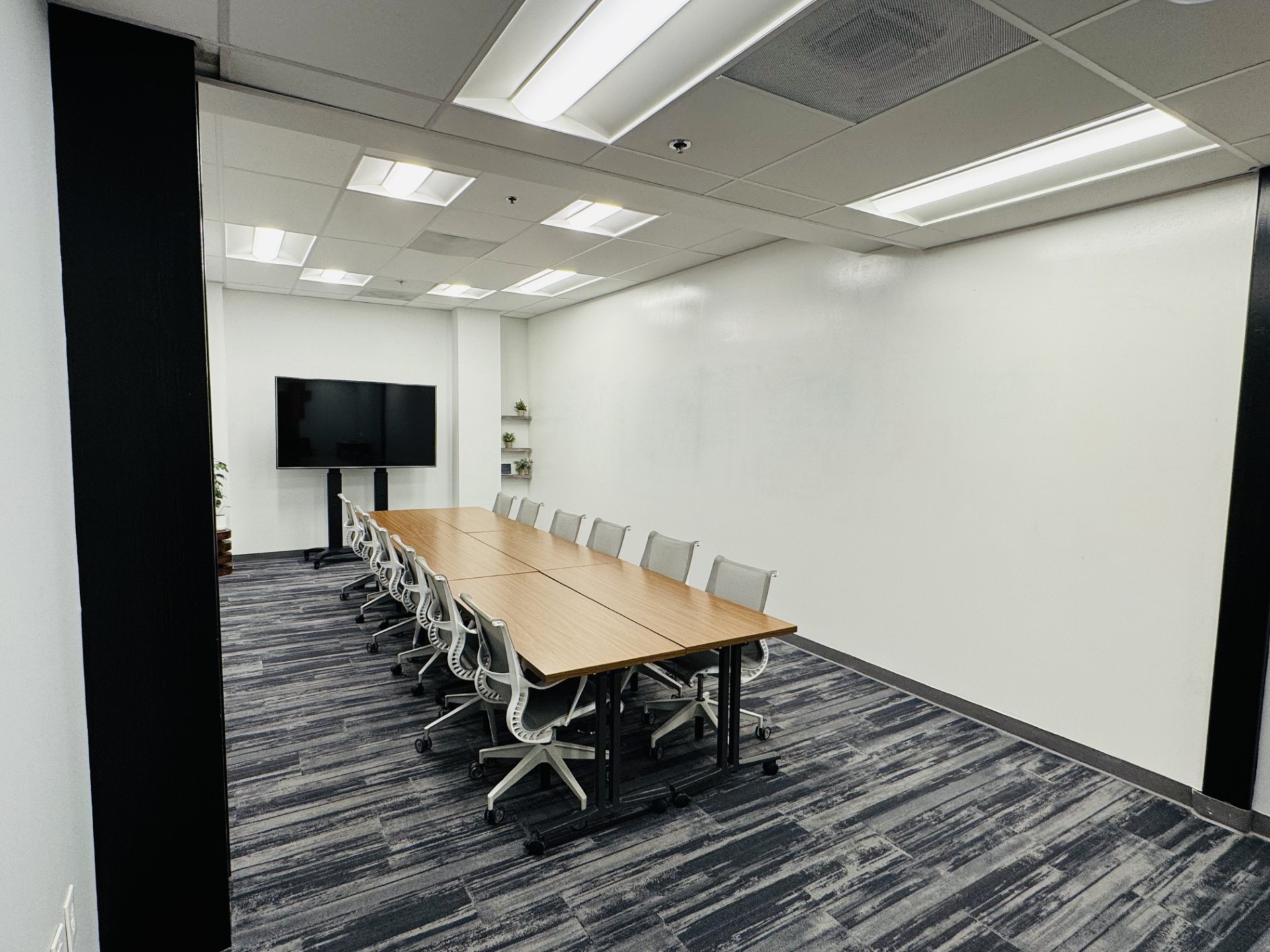
    Arched brick meeting room with a large table, showing how a team can handle larger working sessions without putting a meeting table inside its everyday office

    What should a team check before choosing a Folsom office?

    A team should check the real daily workflow, the growth trigger, the meeting-room plan, and the terms that allow the office to change. The office should solve an operating problem without creating a new financial or logistical one.

    A team searching for a private office rental in Sacramento may be comparing traditional offices, serviced offices, and a small team office in Folsom. The important comparison is not just monthly cost. It is the total amount of unused capacity, setup work, management time, and moving friction attached to each option. People searching for shared office space in Folsom often start with a broad need: “We need somewhere professional for the team.” The better question is more specific: “What work must happen behind our own door, and what can happen elsewhere in the building?”

    For a workspace in Historic Folsom, a team needs enough privacy, consistency, and room to work without paying for an empty future. If you are comparing configurations, review Granite City’s private office options and use the current office details as the starting point for a conversation about fit.

    What else should a growing team ask before choosing an office?

    Is a private office better than a larger coworking membership for a three-person team?
    A private office is usually the better fit when the team needs a door, confidential calls, secure materials, or a consistent place to work together. A larger coworking membership may be enough when attendance is inconsistent and privacy is occasional.

    How many extra desks should a small team reserve for growth?
    Most small teams should start with one or two extra seats rather than paying for their full projected headcount. Add more capacity when hiring is approved or current attendance repeatedly exceeds the available desks.

    Should a team office include its own meeting table?
    Only if the team uses that table frequently enough to justify the space it takes. For occasional larger meetings, a shared meeting room can preserve more useful desk capacity inside the private office.

    What should a distributed team in California prioritize when choosing an office?
    A distributed team should prioritize actual attendance, reliable connectivity, privacy, meeting-room access, and flexible terms. The best office is the one that supports the local team’s recurring work without being sized around an unconfirmed hiring plan.
  • Private Office Folsom: A Room With a Door

    Private Office Folsom: A Room With a Door

    A private office in Folsom suits a consultant, fractional operator, or remote executive whose work depends on frequent client calls and a reliable place to speak privately. A door can separate confidential conversations from shared activity, while a consistent work setting keeps professional calls from depending on household conditions. For people near Historic Downtown Folsom or elsewhere along the Hwy 50 AI Corridor, the decision is less about looking established and more about whether privacy and a clear work boundary matter often enough to justify a room of your own. If calls are occasional, a private office may be more than you need. If they shape most workdays, it can remove a recurring source of friction.

    When does a private office make sense for one person?

    A private office is worth considering when you need a private setting on a regular basis, not just for the occasional important call. It can give you a consistent place to work, speak with clients, and keep work separate from home.

    The clearest case is a workday built around conversations: consulting, fractional leadership, advising, or managing a remote role with frequent one-to-one calls. You may need to move between video meetings, focused work, and conversations about information that shouldn’t be discussed in a shared setting. Having a room to return to can make those transitions simpler.

    A private office can also help when your work setup at home changes from day to day. A family member’s schedule, a delivery, or background noise can be hard to predict. If those interruptions repeatedly land during client conversations, the problem isn’t solved by a better camera angle. A separate workplace gives you another option.

    That doesn’t mean a private office is automatically the right choice for every solo professional. If most of your work is independent and your calls are infrequent, coworking or working from home may be enough. Start with the problem you need to solve, rather than assuming a more private setup is always better.

    What changes between a home office, coworking, and a private office?

    The main difference is how much control you have over privacy and separation from home. The right setup depends on whether you need a room for frequent private work or simply a change of setting.

    Setup Privacy for calls Work boundary May suit you when
    Home office Depends on your home Work stays at home Your environment is reliably quiet
    Coworking Shared setting; check call options Work moves outside the home You want a professional place to focus
    Private office A separate room; acoustics vary A distinct place for work Private calls are part of your routine

    A table can make the choice look simple, but the details of your day matter. In coworking, you work around a shared environment, so check what options are available when a call needs privacy. In a private office, a door creates a boundary, but it doesn’t guarantee soundproofing. The room, walls, and surrounding activity still affect what you can hear and what others can hear.

    If you’re comparing more than these three setups, this guide to coworking and other workspace options in Folsom can help you think through the broader tradeoffs. The useful question is not which option sounds best in general. It’s which one reliably supports the work you do.

    How can a private office help with client calls in Folsom?

    A private office can give you a consistent setting for calls, with fewer shared-environment distractions than an open work area. In Folsom, that can be useful when your work and client relationships are based along the Hwy 50 AI Corridor.

    The value is practical. You can set up your work materials once, start a call without searching for an appropriate corner, and return to focused tasks afterward. A stable setting also reduces the need to explain changes in background noise or surroundings to clients. Those details don’t replace the quality of your work, but they can make a busy day easier to manage.

    Remote and hybrid work are part of the wider picture, though national figures cannot tell you what one local professional needs. The U.S. Bureau of Labor Statistics’ 2025 annual average table on telework status reports that 22.4% of people at work teleworked or worked at home for pay. That figure is national context, not proof that a Folsom consultant needs a private office. Your call schedule, privacy needs, and home setup are better guides.

    Folsom’s place in the regional business community may matter, too. If your work connects with founders or remote teams in neighboring communities, a steady local base can make the workday feel less improvised. For wider context on the region, see what the Hwy 50 AI Corridor means for local businesses.

    How can you tell if you’ll use a private office enough?

    Look at your actual routine before you decide. A private office is a better fit when its privacy and separation would solve recurring problems, not just occasional inconveniences.

    Review a typical work calendar. Which calls need privacy? How often do home interruptions affect meetings? Do you need a consistent place to work between calls, or would a room be useful only for a small part of your week? The answers will help distinguish a regular need from an occasional one.

    There’s an honest tradeoff: you can commit to a private office and then barely use it. That can happen when the idea of having a professional base feels appealing but the daily routine hasn’t changed. Before you decide, imagine a normal week, including the days when you have no client calls. Would you still choose to work there? If not, another arrangement may be a better match.

    You can also test the practical details during a tour. Sit where you would work. Check how the door closes, what you can hear from outside, how the room feels on a video call, and whether the layout works for your equipment. Don’t assume that every private office has the same feel or acoustics. Choose based on what you can see and experience, not on the word “private” alone.

    What should you look for in a private office in Folsom?

    Look for a room that fits the work you actually do: the calls you take, the materials you use, and the routine you want to keep. A good fit should make your workday more dependable without requiring you to use the office in a way that doesn’t suit you.

    For a consultant or remote executive, privacy is only part of the decision. Consider whether the setting supports focused work between calls, whether the room gives you a comfortable place to meet online, and whether the location works for your regular travel around Folsom and nearby communities. If you work with clients across El Dorado Hills or Rancho Cordova, think about whether Folsom is a practical base for those relationships.

    Granite City Workspaces offers private offices in Folsom. If a room of your own seems suited to your routine, review the private office options at Granite City Workspaces. Find your corner in Folsom, and choose a setup that supports the work you do most often.

    What else might you want to know before choosing?

    Is a private office soundproof?
    A private office has a separate room, but that does not guarantee soundproofing. Check the room’s acoustics and surrounding noise during a tour.

    Would coworking work if I only take occasional private calls?
    It may. Consider a shared coworking setting if you mainly need a place to focus and only sometimes need a quieter setting for calls.

    What should I check during a private office tour?
    Consider the room layout, the work surface, what you can hear from outside, and how the room feels during a video call. These details can help you decide whether the office fits your routine.

    Do I need a private office if I work remotely?
    Not necessarily. A private office is most useful when regular calls, privacy, or separation from home are important parts of your work.

  • What’s Next After Sac Tech Week: Folsom-Cordova Tech Week Returns March 2027

    What’s Next After Sac Tech Week: Folsom-Cordova Tech Week Returns March 2027

    Sac Tech Week runs October 19–24, 2026, and the next major technology gathering on the local calendar is Folsom-Cordova Tech Week, March 1–5, 2027. Sac Tech Week is a decentralized, citywide week; Folsom-Cordova Tech Week is Granite City’s own annual event, returning across Folsom and Rancho Cordova. For people working in Folsom and along the Hwy 50 AI Corridor, the dates give the local tech community a next point to look toward.

    As an operator, I see value in having both: a week that brings many local activities into view, and an annual event we build here in Folsom. They’re distinct gatherings, but they create a useful thread between October and March. If you’re making plans now, save March 1–5, 2027. Details about the March program will be shared as they’re confirmed.

    How does a citywide week differ from an annual local event?

    Sac Tech Week and Folsom-Cordova Tech Week are separate events with different scopes. One is a decentralized, citywide Sacramento-area week; the other is Granite City’s annual event for the Folsom-Cordova community.

    During Sac Tech Week, more than 20 events will take place across more than 10 venues. Granite City is a community host, with its own Folsom programming during the week, but it does not organize the citywide event. That distinction matters: a host contributes to a shared calendar without speaking for every organizer or activity.

    Folsom-Cordova Tech Week returns the following March, from March 1–5, 2027. It’s the annual event we build and host, with a regional focus that includes Folsom and Rancho Cordova. The two weeks sit on the same local calendar, but one is not a continuation or second edition of the other.

    Event Dates Scope and Granite City’s role
    Sac Tech Week October 19–24, 2026 Decentralized, citywide week; Granite City is a community host, not the organizer
    Folsom-Cordova Tech Week March 1–5, 2027 Granite City’s annual event for the Folsom-Cordova community

    Thinking of them as two distinct dates makes it easier to follow the calendar without mixing up who organizes each week or what details have been announced.

    What can you carry forward from October into March?

    The most useful thing to carry forward may be one conversation, question, or idea, not a long list of notes. A few months between gatherings gives you time to test whether an idea can become part of your work.

    For example, if you meet someone during Sac Tech Week, consider following up with a specific question or a small next step. If you hear about a workflow you want to improve, try it in your own work before March. A useful update by the time Folsom-Cordova Tech Week arrives might be as simple as, “We tried this, and here’s what we learned.”

    That kind of continuity doesn’t require a formal project or a dramatic result. It can mean keeping in touch with a local founder, comparing notes with a colleague, or bringing a clearer question to the next gathering. The point is to make time between events useful rather than treating each week as an isolated item on the calendar.

    For another look at how local technology conversations can continue between larger gatherings, see our frAIdays Vol. 05 preview. It’s a separate Granite City community touchpoint, not part of Sac Tech Week or the March event.

    Why does the Folsom-Cordova connection matter?

    The Folsom-Cordova name makes the event’s regional focus clear. It connects a community whose work and relationships aren’t limited to one neighborhood or one city.

    Folsom offers a local base for Granite City’s annual event, while Rancho Cordova is an important part of the wider regional picture. For people who work in either city, or elsewhere along the Hwy 50 AI Corridor, the name signals that this gathering is meant to reflect a broader local community. You don’t need to treat the corridor as one uniform place to see the value in making room for connections across it.

    I’ve found that regional continuity is built through repeated contact, not just a single day on a calendar. People need chances to compare what they’re working on, hear how others approach a problem, and reconnect after they’ve had time to put an idea into practice. A citywide week and an annual local event can each make room for that, in different ways.

    If you’d like more background on how Folsom fits into the region’s startup landscape, read our article on the Hwy 50 AI Corridor and startup growth. The March event is another opportunity to look at that local picture through a community gathering.

    What should you know about the March 2027 program now?

    The confirmed detail to save is the date: Folsom-Cordova Tech Week returns March 1–5, 2027. Session titles, speakers, venues, and a detailed agenda have not been announced, so it’s best not to plan around specifics that aren’t confirmed.

    You can find the event’s current information on the Folsom-Cordova Tech Week event page. As details are confirmed, that page is the place to look for updates. For now, the calendar dates are the practical takeaway.

    This is also a good moment to make a note of what you’d want from a local tech week. Are you hoping to compare approaches to a business challenge, meet people working on related problems, or set aside time for a project? You don’t need a finished answer. A clear question can help you decide which future updates are relevant when the program takes shape.

    Keeping expectations simple protects the value of the save-the-date. The dates are set; the program will come later. There’s no need to guess at the schedule or assume what the week will include.

    How can you stay oriented between the two weeks?

    Treat the two dates as useful markers, not as a promise that every detail is already settled. Sac Tech Week is coming up in October, and Folsom-Cordova Tech Week is on the calendar for March 1–5, 2027.

    Between now and March, you can keep track of conversations and ideas that matter to your work. You might jot down one question to revisit, follow up with someone you meet, or test a small change before deciding whether it’s worth pursuing. Those steps can make the next local gathering more useful without requiring a major plan.

    For Granite City, continuity means creating room for people in Folsom and the wider Hwy 50 AI Corridor to reconnect around work they care about. The October and March dates are different gatherings, but they share a local context. Save March 1–5, 2027, and look for confirmed program details as they become available.

    What practical details are worth confirming later?

    The key details are the difference between the two events, the March dates, and where to check for future program updates. The answers below keep confirmed information separate from anything still to come.

    Are Sac Tech Week and Folsom-Cordova Tech Week the same event?
    No. Sac Tech Week is a decentralized, citywide week in October, while Folsom-Cordova Tech Week is Granite City’s annual event returning March 1–5, 2027.

    When does Folsom-Cordova Tech Week return?
    Folsom-Cordova Tech Week returns March 1–5, 2027. Program details will be shared as they’re confirmed.

    Does Granite City organize Sac Tech Week?
    No. Granite City is a community host with its own Folsom programming during Sac Tech Week, but it does not organize the citywide week.

    Where can I check for updates about the March event?
    Visit the Folsom-Cordova Tech Week event page for current information. Session titles, speakers, venues, and the detailed agenda have not been announced.

  • Why We Opened Granite City’s Doors for Sac Tech Week

    Why We Opened Granite City’s Doors for Sac Tech Week

    To host an event in Folsom well, you need more than a meeting room and a calendar invite. You need a room that can reset quickly, technology that works before the presenter arrives, clear ownership of the details, and a plan for the people moving through the building. That is what we will be testing when Granite City serves as a community host during Sac Tech Week 2026 in Historic Downtown Folsom along the Hwy 50 corridor. The week will run October 19–24, with more than 20 events across more than 10 venues. We are not organizing the citywide week. We are contributing a place, a program, and the operating discipline to make both work.

    Why did we open Granite City's doors for Sac Tech Week?

    We chose to be a community host because a week of citywide programming is an honest stress test of whether a venue can actually host work rather than simply rent square footage. It will show us where the handoffs are strong, where they are fragile, and what another founder should know before bringing a meeting or event to Folsom.

    Sac Tech Week runs October 19–24. Granite City's Folsom programming sits inside that window: free AI sessions from October 20–23, free coworking from 9:00 AM to 5:00 PM Monday through Friday, October 19–23, and Build Day on Thursday, October 22, from 10:00 AM to 10:00 PM. The sessions will cover AI workflows, company knowledge, smart-building systems, sales, real estate, governance, and practical business applications.

    Granite City does not control Sac Tech Week; we are one venue in a decentralized, community-hosted week.

    You can see what each session covers and pick the ones that fit your work.

    What does hosting a week of programming actually take?

    Hosting takes active operating work between sessions. The visible program is a speaker and a set of chairs. The real work is keeping the next session from inheriting the last session's problems.

    The schedule is not entirely ours to control. Sac Tech Week is decentralized, and people will arrive from different parts of the region at different times. Parking has to absorb people arriving separately rather than one organized group stepping off a bus.

    Then the sessions stack. A presenter may change a slide deck ten minutes before the start. A room may need chairs moved, tables reset, whiteboards cleared, and water replaced before the next group walks in. Coffee that was full at the beginning of one session may be nearly gone by the end of it.

    A presenter may assume the AV is ready because the room looks ready. If the display, audio, or presentation file fails in front of a room, the presenter has to become the technician, and the tone of the session changes immediately.

    Phone booths are another example. During an ordinary workday, they are useful infrastructure. During a packed programming week, they can become the most contested real estate on the property because presenters, attendees, and members all need somewhere quiet for a call.

    The fix is not to pretend every variable can be controlled. Identify the variables early, assign someone to watch them, and leave enough transition time that one delayed conversation does not push every following session off schedule.

    For a practical room-selection framework, read how to choose the best meeting room in Folsom for a strategic offsite.

    What goes wrong when a venue treats hosting as just renting a room?

    The failure mode is simple: the venue hands over a key and disappears while the host tries to manage everything else. The host is checking seating, troubleshooting AV, answering arrival questions, adjusting the temperature, finding coffee, and presenting at the same time.

    It does not fail all at once. It fails in small interruptions: an attendee who cannot find the entrance, a presenter who needs a cable, a host who leaves the room to solve one issue and misses the question that should have moved the session forward.

    That is the difference between a room and a venue that hosts. A room is a physical product. Hosting is the set of decisions and responses that keep the physical product useful while people are relying on it. The venue still should not take over the host's job; the person who owns the event owns the content, speakers, and attendee communication.

    I would rather name a limitation before the day than create an expectation we cannot meet. Catering is not provided, but hosts can bring food and drinks, and the member kitchen is available. Phone booths are on-site for members and guests without a reservation, but they are not private overflow rooms a host controls exclusively.

    Which room fits which kind of session?

    The right meeting room depends on headcount and session type, not on which room sounds most impressive. A confidential interview, a 15-person workshop, and a 40-person gathering have different operating needs.

    The right size depends on how the room will be used. Here is how each one fits.

    Room Seats Booking options Best for
    Gallery 4 Hourly or full day Small team sessions and 1:1s
    Town Hall 15 Hourly or full day Team meetings and client presentations
    The Nook 15 Hourly or full day Larger workshops and panels
    The Commons 40 Half day or full day Flagship space, larger gatherings

    Headcount is only the first filter. A presentation-heavy meeting needs reliable display access and clear sightlines, a workshop needs room to move, and an interview needs privacy.

    A room that is too large can make a small group feel scattered, and a room that is too small turns every bag, chair, and late arrival into an obstacle. If you want more context on why local companies move offsites out of cafés and hotel rooms, our post on professional meeting room rentals for offsites in Folsom covers the comparison.

    How do you host your own event or meeting in Folsom?

    Start with the work you need the group to do, then choose the meeting room by headcount and session type.

    Next, decide whether you need the room by the hour or for the full day. Meeting rooms can be booked by the hour or the day. The minimum booking is 60 minutes, with 30-minute increments after that. You can book up to 30 days in advance.

    Confirm whether anyone will join remotely. If the answer is yes, test the presentation and call setup before attendees arrive. Do not make the first AV test the first five minutes of the meeting.

    Plan food separately. Catering is not provided, but you can bring food and drinks into the member kitchen. Put a person other than the presenter in charge of the room. That person can watch arrivals, reset materials, handle small technology issues, and keep the schedule moving while the presenter focuses on the group.

    If you are considering a city-owned facility instead, Folsom Parks & Recreation's facility rental process begins with a Rental Inquiry Form. For a private meeting room in Historic Downtown Folsom, make the same basic decisions first: headcount, format, technology, food, timing, and who owns the room on the day.

    Granite City is at 705 Gold Lake Dr, Suite 250, in Historic Downtown Folsom, minutes from Hwy 50 and serving teams from Folsom, Rancho Cordova, El Dorado Hills, and Sacramento. For a broader look at how local workspace infrastructure supports professional gatherings, read the benefits of coworking in Folsom.

    What should you know before you book a room in Folsom for your own event?

    The practical questions are about access, timing, food, cancellation, and who manages the room once the meeting begins.

    Do I need a membership to book a meeting room?
    No. Granite City meeting rooms can be booked by members and non-members.

    How far in advance can I book a meeting room?
    Meeting rooms can be booked up to 30 days in advance. Bookings run by the hour or the day, with a 60-minute minimum and 30-minute increments after that.

    Can I bring food and drinks to my meeting?
    Yes. Catering is not provided, but you can bring food and drinks into the member kitchen.

    What happens if I need to cancel my booking?
    Cancellations made 24 hours in advance receive a full refund.

    Sac Tech Week will test the same basics any founder faces when they host an event in Folsom: choose the right room, protect the transitions, and assign operational ownership. If you are planning a team meeting, workshop, interview, or gathering of your own in Historic Downtown Folsom along the Hwy 50 corridor, review the Granite City meeting rooms page and start with the work your group needs to accomplish.

  • Sac Tech Week Folsom: Where the Hwy 50 Thesis Gets Tested

    Sac Tech Week Folsom is where the Hwy 50 AI Corridor thesis gets tested in public. From October 19–24, 2026, founders and operators can work, learn, build, and meet in Folsom while taking part in a decentralized celebration that runs across the Sacramento region. Historic Downtown Folsom will not be a backdrop for the week; it will be one of the places where the work happens.

    What will Sac Tech Week show about the Hwy 50 AI Corridor?

    Sac Tech Week will show the thesis in practice: Folsom sits on the main regional calendar, with local programming alongside activity across Sacramento and the wider corridor. That is more useful than another argument about where startups should locate.

    Sac Tech Week 2026 runs October 19–24 as a community-hosted, decentralized celebration of the Sacramento region’s tech and startup scene. It includes more than 20 events across more than 10 venues, without badges, hotel ballrooms, or a single central venue. Anyone can participate.

    In July, we made the argument for the Hwy 50 AI Corridor as a startup growth region. Sac Tech Week is this month’s proof point in the making: the corridor’s value shows up in a real operating schedule, with Folsom hosting practical AI sessions while Sacramento hosts other signature events.

    The City of Folsom economic development effort describes a tech-oriented business community that supports companies ranging from corporate partners to small businesses. That economic development effort works with the Folsom Economic Development Corporation and Choose Folsom to help businesses start, expand, and sustain their operations. The same effort describes Folsom as a place for relocating startups seeking a balance between work and quality of life. That context helps explain why Folsom belongs in the regional technology conversation rather than sitting outside it.

    The scale of the local market is part of the picture, too. The U.S. Census Bureau QuickFacts profile lists Folsom’s population estimate as 91,983 as of July 1, 2025. Founders do not need every part of an ecosystem to look like downtown San Francisco. They need enough people, companies, institutions, and practical infrastructure to make local work viable.

    What will Granite City host in Folsom?

    Granite City is a community host for Sac Tech Week, with free AI sessions and free coworking in Folsom from October 19–23. Granite City does not organize the citywide week; it provides a local base at Granite City Commons, 705 Gold Lake Dr, Suite 150, Folsom, CA 95630.

    The Folsom program covers sessions on AI workflows, company knowledge, smart-building systems, sales, real estate, governance, and practical business applications. The contributors who are scheduled to lead sessions include Justin Fortier of FYC Labs, Sedale Turbovsky of Modern Zen, Robby Gill of AWS Partner Initiatives, Chris Warren of Mendocino Management, Scott Kirk of Weichert Realtors, Brian Hammond of FYC Labs, Matthew Loughran of CraftsmanAI, Jeromy Zajonc of Running Water Coaching, and George Usi of Omnistruct.

    Startup Folsom is hosting the Folsom AI Meet Up featuring Robby Gill. Other sessions on the schedule include Grok Bots, Company Brain, Smart Building AI, AI Call Centers & Sales Teams, AI for Real Estate Agents, AI Sales Process & Go-to-Market, the Simply Lovable demo finale, Take an AI Pause, and AI Governance & the Law.

    Every Granite City session is free, and free coworking runs from 9:00 AM to 5:00 PM, Monday through Friday, October 19–23.

    Day What Granite City hosts Why it matters
    Monday, October 19 Free coworking, 9:00 AM–5:00 PM Local base for week
    Tuesday, October 20 Free coworking; AI sessions Practical AI in Folsom
    Wednesday, October 21 Free coworking; AI sessions Work and learning together
    Thursday, October 22 Free coworking; Build Day, 10:00 AM–10:00 PM Building, not just talking
    Friday, October 23 Free coworking; AI sessions Applied follow-through before close

    For additional local context, our look at why Folsom entrepreneurs build at Granite City covers the practical value of having a professional base near the Hwy 50 AI Corridor. Sac Tech Week makes that base useful to people who may not yet be regular members.

    What is Build Day on October 22?

    Build Day gives builders a full working day inside the broader Sac Tech Week calendar. It runs Thursday, October 22, from 10:00 AM to 10:00 PM, creating a clear transition from hearing about technology to testing what it can do.

    The Granite City program supports that practical focus through sessions such as Company Brain with Justin Fortier, Smart Building AI with FollowThrough Works, AI Call Centers & Sales Teams with Chris Warren, and AI Sales Process & Go-to-Market with Brian Hammond. The subject matter moves across internal knowledge, physical infrastructure, sales operations, and go-to-market work.

    Thursday also features hAIppy Hour at UCFB and an After Party at Granite City Commons. Those additions give people room to continue conversations after the working sessions, but the central point remains the same: the day is built around doing.

    The failure mode I watch for is a founder treating tech week as a marketing moment, collecting contacts, and leaving without testing a single workflow with the people in the room. The better approach is narrower: arrive with one process, one question, or one prototype that can be examined before the day ends.

    What should founders watch for during the week?

    Founders can read Sac Tech Week as evidence in motion that Folsom functions as an active working node for the regional ecosystem, not merely as a convenient place to live. The opportunity is strongest for founders and small teams that want local infrastructure without giving up access to Sacramento-area relationships.

    A founder based in Folsom, Rancho Cordova, or El Dorado Hills can participate in a regional calendar while keeping daily work closer to home. That matters for teams that need a professional environment for focused work, practical sessions, and occasional collaboration without building an entire office operation from scratch.

    Different organizations bring different strengths. Signature Sac Tech Week events include the State of Innovation Kickoff Breakfast, Startup World Cup, AI for Small Business with NorCal SBDC and California Capital, the Amazon AWS Pitch Competition, and the Tandem Summit. Granite City’s Folsom sessions add another layer focused on applied AI and business workflows.

    That is also why follow-up matters. The people met during one week become useful connections only when someone returns with a specific question, shares what happened after the session, or tests the next version of a workflow. The corridor thesis will not be proved by attendance alone. It gets proved when participation turns into repeated local activity.

    What comes next after Sac Tech Week?

    Sac Tech Week is one week on the calendar; the corridor's real test is whether the work continues month to month in Folsom.

    The frAIdays AI Lunch Series also serves as the week’s warmup on October 16, from 11:45 AM to 4:00 PM at The Commons at Granite City Workspaces. You can also read our frAIdays Vol. 05 preview.

    For founders considering Folsom as a base, the next step is not to accept a thesis because it sounds good. Explore how Granite City can fit into your Hwy 50 AI Corridor work. Then decide whether Historic Downtown Folsom gives your team the right balance of focused work, local connection, and access to the regional activity already happening around Rancho Cordova and El Dorado Hills.

  • frAIdays Vol. 05: Folsom AI Lunch Series Preview

    frAIdays Vol. 05: Folsom AI Lunch Series Preview

    frAIdays Vol. 05 is the October 16, 2026 frAIdays session at Granite City Workspaces in Historic Downtown Folsom, running from 11:45 AM to 4:00 PM Pacific for founders, operators, and business owners who want practical AI help. If you work in Folsom or along the Hwy 50 AI Corridor and want a clearer way to choose the right room, this volume is built to make that decision easier. This session keeps the monthly AI lunch series format, adds a one-time fourth breakout room, and introduces a new ski-style rating system so people can pick a session they can actually use the next day.

    frAIdays is a monthly AI lunch series, free to attend, with lunch available for purchase at $15 if reserved ahead of time or $20 on-site. On October 16, lunch and networking begin at 11:45 AM, the simultaneous breakout sessions start at 12:45 PM, and open office hours run from 2:00 PM to 4:00 PM. frAIdays is operated by FollowThrough Works LLC, hosted at Granite City Workspaces in Historic Downtown Folsom, and presented by Granite City Workspaces, FollowThrough Works, and FYC Labs.

    What is frAIdays Vol. 05, exactly?

    frAIdays Vol. 05 is the October edition of the monthly frAIdays series, hosted at The Commons at Granite City Workspaces, 705 Gold Lake Dr, Ste 150, Folsom, CA.

    This volume matters because the format is slightly different from the usual one. Standard frAIdays programming runs three simultaneous rooms. Vol. 05 runs four breakout rooms as a one-time exception, which gives people a narrower fit between the room they choose and the problem they are trying to solve.

    The setting also matters. Granite City sits in Historic Downtown Folsom, near a district known for Sutter Street, Historic Folsom Plaza, the railroad turntable and depot, the Truss Bridge over the American River, and Folsom's Gold Rush roots, as described by the City of Folsom's Historic Folsom walking tour.

    If you want background on how frAIdays fits into Granite City's local AI programming, read our overview of frAIdays in Historic Folsom.

    What do the new ski-style levels mean, and why did the format change?

    The new levels are there to help people choose the right room faster. For Vol. 05, breakout rooms use a five-tier ski-difficulty system: Beginner, Easy, Intermediate, Advanced, and Expert Only.

    That change replaces the earlier Spark, Flame, and Forge naming for this seasonal edition. The seasonal line for this volume is exact and simple: "Same town. New rush." The point is not cosmetic. It is operational. A rating system that signals difficulty more plainly helps people avoid a common mistake: picking the room that sounds the most advanced, then leaving with notes they cannot use. For more on why a repeatable local format keeps gaining traction here, read our post on the Hwy 50 AI Corridor.

    That is the real failure mode to avoid at frAIdays. The wrong room is not the one that looks basic. The wrong room is the one that is too far ahead of your current workflow. If your team still needs better prompting habits or a cleaner tool stack, an Expert Only session may be interesting but not immediately useful. In a monthly series, the better move is often to pick the room that matches your next practical step, then come back next month ready for the harder session.

    Which breakout room should you pick on October 16?

    Pick the room that matches the work you need to do next week, not the room with the most intimidating title. Vol. 05 is built so each session serves a different stage of adoption.

    Session Level Session lead
    One Tool Isn’t a Strategy: Prompting, MCPs & Building Your Own Easy / Intermediate Kyle + Scott
    Idea to MVP: Build Your Own Business Tool (No Developer Needed) Intermediate Matt Loughran
    Building Grok Bots: Automate a Real Workflow in Your Business Advanced Sedale
    The AI Calls You Can’t Afford to Get Wrong Right Now Expert Only Justin Fortier

    The Kyle and Scott session is the right fit if you know one tool is not enough but you have not yet built a clear system around prompting, MCPs, and your own setup. Matt Loughran's session is for people who have a business problem in mind and want to turn that problem into a usable MVP without waiting on a developer.

    Sedale's room is a better fit for operators who already know the workflow they want to automate and are ready to build around that workflow directly. Justin Fortier's session is intentionally marked Expert Only, which is useful because it gives advanced attendees a room that does not need to slow down for basics.

    If you are unsure where you fit, choose the room whose output you can apply first. That is usually the session with the shortest path from notes to action. For founders and operators building locally, our post on why Folsom entrepreneurs build at Granite City speaks to the same pattern: progress compounds faster when the format matches the stage you are actually in.

    What is the GCEF Founders Table, and how do you book it?

    The GCEF Founders Table is the open office hours block that runs from 2:00 PM to 4:00 PM after the breakout sessions. It is informal one-on-one support for people who need help applying what they heard to a real business question.

    This matters because not every useful conversation belongs in a room full of people. Sometimes the bottleneck is narrower: choosing a workflow, sorting out a prompt, deciding whether a business process is worth automating, or pressure-testing what to do next. The GCEF Founders Table gives October attendees a clearer path for that follow-up.

    Booking does not happen through a separate scheduling link. It happens through the registration form question about individual support from the GCEF Founders Table. Walk-ups may be accommodated at check-in depending on availability, but the cleaner move is to request support during registration so the team can plan around demand.

    How do you get there and why does the Folsom location help?

    You register through the frAIdays portal, then plan your day around Historic Downtown Folsom and the October schedule. The local setup makes the event easier to treat as a working session instead of a full-day production.

    Granite City Workspaces is at 705 Gold Lake Dr, Ste 150, Folsom, CA, in Historic Downtown Folsom. The City of Folsom notes that SacRT operates public transit and light rail service in Folsom, which helps attendees planning around a broader Sacramento-area workday.

    That convenience matters because frAIdays works best when it becomes a recurring habit rather than a one-time drop-in. If you treat frAIdays as a standing checkpoint for your business tools, your room choice, follow-up questions, and office-hours conversations get sharper over time.

    How should you register for frAIdays Vol. 05?

    Register through the frAIdays portal and use the form carefully, especially if you want time at the GCEF Founders Table. That is the one next step most readers need.

    To save your spot, register through the frAIdays portal for Vol. 05.

    What else should you know before you RSVP?

    Is frAIdays Vol. 05 free to attend?
    Yes. frAIdays is free to attend, and lunch is available for purchase at $15 reserved ahead of time or $20 on-site.

    Do I need to book the GCEF Founders Table separately?
    No. Booking happens through the registration form question about individual support from the GCEF Founders Table, not through a separate scheduling link.

    Is the October 16 format the usual frAIdays setup?
    No. Vol. 05 uses four breakout rooms as a one-time exception, while the standard frAIdays format uses three simultaneous rooms.

    How do I know which skill level to choose?
    Choose the session that matches the work you can apply next, not the most advanced label. The new Beginner through Expert Only ratings are there to help you make that call more honestly.

  • Folsom Entrepreneurs: Why They Build at Granite City

    Folsom Entrepreneurs: Why They Build at Granite City

    Folsom entrepreneurs build at Granite City because it gives them a professional base, practical infrastructure, and real connection to other people building businesses nearby. Located in Historic Downtown Folsom at 705 Gold Lake Dr, Suite 250, Granite City serves founders and small teams from Folsom, El Dorado Hills, Rancho Cordova, and Sacramento, minutes from Hwy 50. The result is more useful than a desk rental and less rigid than a traditional office lease: a place to focus, meet, and work around other people building in the same region. For founders, that combination removes friction instead of adding another operating problem.

    Why are Folsom entrepreneurs choosing Historic Downtown Folsom?

    Folsom entrepreneurs choose Historic Downtown Folsom because the location connects a growing local business scene with an accessible regional corridor and a community-oriented setting. Granite City is minutes from Hwy 50, with free on-site parking included, making it practical for members coming from El Dorado Hills, Rancho Cordova, Sacramento, and nearby communities.

    Folsom is not simply a convenient midpoint. The City of Folsom Economic Development department describes a business community with a strong tech orientation, ranging from corporate partners to small businesses. The City also works with the Folsom Economic Development Corporation and Choose Folsom to support new, expanding, and legacy businesses. That combination gives entrepreneurs something important: a local market where small companies are treated as part of the economic foundation, not as an afterthought.

    The local scale matters, too. The U.S. Census Bureau’s QuickFacts profile for Folsom puts the city’s population at an estimated 91,983 as of July 1, 2025, up from 80,454 in the 2020 Census. That is a substantial community for independent professionals, consultants, service businesses, and small teams to serve without needing a downtown Sacramento or Bay Area address.

    The location also puts Granite City near the wider Hwy 50 AI Corridor and its startup context. For a founder, that means building close to home while staying connected to regional business activity.

    Historic Downtown Folsom adds another practical advantage. A founder can work from Granite City, walk to nearby coffee or lunch, and bring a client or collaborator to a professional address without turning the day into a commute problem.

    What do Folsom founders and small teams get beyond a desk?

    Folsom founders get an operating environment that supports different kinds of work, not just a place to put a laptop. Granite City members can move between The Library, The Commons, The Nook, Midtown, and additional focus and lounge zones because a founder’s day rarely consists of one kind of task.

    A focused writing block may call for The Library. A working session with a small team may fit The Commons. Midtown supports calls and connection, while private phone booths give members a place to handle conversations without disrupting people working nearby.

    The practical details matter just as much. Granite City provides fast, private, network-isolated enterprise Wi-Fi, printing, scanning, copying, full kitchen access, locally roasted coffee, and locally blended chai. Meeting rooms are bookable by the hour, and eligible dedicated desk and private office members can use the Folsom address as a business address.

    What the work requires Home-office setup Granite City Workspaces
    Professional home base Residential setting Historic Downtown Folsom address
    Privacy for client work Improvised room or headphones Private phone booths and meeting rooms
    Team capacity Limited by home layout Coworking, meeting rooms, private offices
    Connection Mostly self-created Familiar members and local business relationships

    That last row is the one founders tend to underestimate. Over time, people learn what the member next to them does, who they serve, and what kind of problem they are solving. A consultant becomes easier to refer, a small team becomes easier to understand, and a founder has more chances to ask a useful question before spending a week solving the wrong problem.

    The benefits of coworking in Folsom are not limited to productivity. The deeper benefit is having a repeatable professional environment that supports focus, privacy, and human contact in the same workday.

    For a solo professional, a month-to-month coworking membership can provide structure without forcing a long-term lease. For a growing team, a furnished private office can create more privacy while keeping the broader Granite City community nearby.

    California’s small-business landscape makes this kind of infrastructure relevant. The SBA Office of Advocacy’s 2025 California Small Business Profile reports about 4.3 million small businesses in California, representing 99.8% of all California businesses. Most founders need reliable infrastructure that matches the business they are actually operating today.

    How does a regular community calendar help members connect?

    A regular community calendar creates repeated, low-pressure opportunities for members to recognize one another, start conversations, and stay connected beyond a single introduction. It should complement focused work, not turn every workday into a networking exercise.

    The value is repetition. Seeing the same people over time makes it easier to ask a follow-up question, share a useful contact, or understand where another founder’s work might intersect with your own. That is how connection becomes practical rather than sentimental.

    This is also where Granite City’s operator-owned approach matters. A member does not need to perform a pitch or attend every gathering to belong. Someone may work quietly most of the week and still have a familiar face to greet, a person to ask about a local resource, or a nearby professional who understands the pressure of running a small business.

    For small teams, the calendar can widen the company’s local context. Employees who spend most of their time in a private office can still encounter independent professionals, founders, and operators working on different problems. Those interactions can make a small team feel less isolated without creating a forced culture program.

    For Folsom entrepreneurs, building at Granite City can answer those questions without requiring a leap into a long-term lease. Compare coworking with other Folsom work setups to see where the tradeoffs land for your business.

    If Granite City sounds like the right kind of base, tour Granite City Workspaces in Historic Downtown Folsom. Walk through the work environments, ask direct questions, and decide whether the day-to-day fit is right for the way you build.

    What should Folsom entrepreneurs consider before choosing a workspace?

    Folsom entrepreneurs should consider location, privacy, work modes, team needs, and everyday connection before choosing a workspace.

    How can a founder try Granite City without a long lease?
    Coworking memberships are month-to-month, and a founder can schedule a tour first.

    Can a small team use Granite City without a private office?
    Yes, small teams can use coworking areas and book meeting rooms by the hour.

    Can members use the Granite City address as a business address?
    Yes, dedicated desk and private office members can use the Folsom address.

    What is the main difference between a home office and Granite City?
    Granite City adds professional infrastructure, meeting rooms, and daily access to other local professionals.

  • Benefits of Coworking in Folsom: Focus, Balance, Community

    Benefits of Coworking in Folsom: Focus, Balance, Community

    Coworking in Folsom helps most when you need better focus, cleaner work-life boundaries, more regular professional contact, and fresher creative input. The benefit is not magic. It comes from a defined environment that reduces competing cues, creates a real start-and-stop point to the day, and puts you near other professionals often enough for useful contact to happen.

    That matters around Folsom, El Dorado Hills, Rancho Cordova, and Sacramento because remote work is now a durable part of how people work. Using American Time Use Survey data, a U.S. Bureau of Labor Statistics working paper estimates that remote work accounts for about 20.6% of total work hours for wage and salary workers ages 22 to 64, and it also finds that remote days tend to have longer work spans than on-site days. If you are trying to do strong work without letting the day bleed everywhere, the setup matters.

    What actually changes when you leave a home office and work from coworking?

    What changes first is not your personality or motivation. What changes is the number of cues competing for your attention, plus the clarity of what this part of the day is for.

    At home, even a good home office carries overlap. Laundry is still there. Packages still arrive. Family logistics still sit in the background. The same chair might be where you answer email, pay bills, scroll, and eat lunch. Coworking works because the environment is narrower by design. You show up to work, not to half-work while everything else stays within reach.

    At Granite City Workspaces, members can move between distinct work environments depending on the kind of work in front of them. The Library is quiet by design. The Commons gives you an open shared setting. The Nook has a little more lounge energy. Midtown supports calls and community, and there are additional focus and lounge zones when you need to change pace without losing momentum. That ability to match the room to the task is a practical benefit, not a luxury. The everyday amenities matter too because they reduce friction. Private phone booths also keep calls from disrupting anyone.

    One failure mode is worth naming clearly: a coworking membership will not fix habits by itself. If the real issue is that you keep checking your phone every six minutes, or you let home-office chores follow you into every break, a new address will not solve that on its own. Coworking gives you a cleaner operating environment. You still have to use it like one. If you want a broader framework for weighing different setups, read our breakdown of how coworking compares with every major work alternative in Folsom.

    How does coworking improve work-life balance without pretending remote work is easy?

    Coworking improves work-life balance by creating a clearer boundary between work time and personal time. It does not make work lighter by default, but it makes the edges of the day easier to defend.

    This is where the BLS paper is especially useful. It does not say remote work is bad. It does say remote days often run longer in span than on-site days. That lines up with what a lot of independent professionals already know: when your commute becomes ten steps, work can start earlier, stop later, and leak into the middle.

    A coworking membership helps because it puts a real transition back into the day. You drive in, park, work, and leave. Granite City is at 705 Gold Lake Dr, Suite 250 in Historic Downtown Folsom, minutes from Hwy 50, with free on-site parking included. For members coming from El Dorado Hills, Rancho Cordova, or Sacramento, that convenience matters because the routine has to be easy enough to repeat.

    The month-to-month structure also matters because you can build around the way you actually work instead of locking into a traditional lease. Granite City’s currently published coworking plans range from a Day Pass at $25 per day to 24/7 Coworking at $215 per month, with access varying by plan.

    Factor Home office Coworking membership
    Focus Often interrupted by household cues, deliveries, chores, and mixed-use rooms. Defined work setting with quieter zones, phone booths, and fewer competing cues.
    Boundaries Easy for work to start early, stop late, and spill into personal time. Clearer beginning and end to the day because work happens in a separate place.
    Connection Can be productive but isolating, especially for solo work. Repeated contact with other professionals makes useful conversations more likely.
    Creative input Inputs stay narrow when every day happens in the same room. Different rooms, ambient activity, and short conversations can refresh your thinking.

    That combination is one reason flexible workspace keeps moving from perk to strategy. JLL reports global office utilization around 54% against a 79% average corporate target and frames flexible space as a strategic capability during AI-driven workforce change. We covered more of that in our post on why the Hwy 50 AI Corridor is a strong place to grow a startup.

    Why does community matter more for freelancers and solo founders?

    Community matters because solo work has fewer built-in touchpoints, and repeated professional contact helps correct that. Freelancers and solo founders usually gain the most because they have the least passive access to peers, feedback, and real-time perspective.

    There is an important difference between passive proximity and repeated contact. Passive proximity means working near other people once. Repeated contact means seeing the same kinds of professionals often enough that quick hellos become real conversations, referrals, accountability, or a better answer to a problem you were stuck on yesterday. Community is not automatic just because chairs are close together.

    That is where coworking can outperform both the home office and the coffee-shop rotation. A member sees familiar faces. A member learns who is deep in client services, who is building a product, who knows local vendors, and who has already solved the workflow snag that is eating half a day. For freelancers especially, those small connections can reduce the isolation that makes solo work feel heavier than it is.

    Granite City supports that with more than one mode of working. Some days you need The Library, some days Midtown, and some days a meeting room bookable by the hour makes more sense for client-facing work.

    If you are looking for a practical example of repeated contact turning into better conversations, our post on frAIdays at Granite City for small business in Historic Folsom shows how regular local programming can create useful overlap among professionals.

    Can coworking actually help creativity, or is that overstated?

    Coworking can help creativity by changing your inputs and your energy, but it does not guarantee original work on command. It is better to think of coworking as a setup that makes better creative conditions more likely.

    Creative work gets stale when every day has the same visual field, the same interruptions, and the same internal loop. Moving between rooms changes that. A quiet hour in The Library, a reset in The Nook, a call from Midtown, or a short break in a lounge zone gives your brain new context without blowing up the day. Ambient professional activity can help too. Not because you copy what other people are doing, but because being around active work can loosen your own thinking.

    Short conversations matter for the same reason. A two-minute exchange can introduce a tool, a phrasing, a local perspective, or a next step you would not have found alone. That is especially true when the people around you do different kinds of work. Creativity often improves when inputs diversify.

    The honest limit is simple: coworking can improve the conditions around creative work, but it cannot replace the work itself. If you never protect time for deep thinking, if every open block gets filled with reactive tasks, or if you spend the whole day context-switching, no environment will rescue the output. What coworking can do is give you a better base to work from.

    Granite City supports that flexibility with private phone booths, practical work amenities, and room types that let members change gears without losing the day.

    What should you do if you want the benefits without overcomplicating the decision?

    Start with the smallest plan that fits your current working pattern, then test whether your focus, boundaries, and connection improve in real life. If they do, you will feel it in the quality of your workweek, not just in a nicer backdrop.

    For many professionals in Folsom, El Dorado Hills, Rancho Cordova, and Sacramento, the real benefit of coworking is not appearance. The real benefit is giving work a place to happen again. That can mean better focus, cleaner boundaries, more regular professional contact, and stronger creative input without a traditional lease.

    If you want to test that in a low-friction way, start with Granite City’s free trial for coworking in Folsom. Then see whether a defined work environment changes your week.

    What else do people ask before trying coworking?

    Do I need a full-time membership to see a real benefit?
    No, lighter access can still help.

    Can I take calls privately while using coworking?
    Yes, private phone booths and hourly meeting rooms are available.

    Is coworking only for startup teams?
    No, it also fits freelancers, consultants, remote employees, and solo founders.

    What makes coworking in Folsom practical day to day?
    It is minutes from Hwy 50 with free on-site parking and nearby dining and trails.

  • Coworking vs Every Alternative in Folsom

    Coworking vs Every Alternative in Folsom

    Coworking is usually the best fit for Folsom professionals who need a professional place to work without taking on a long-term lease. A private office adds privacy, a dedicated desk adds consistency, a traditional lease adds control, and working from home minimizes direct workspace cost. The right choice depends on how often you work away from home, how much privacy you need, how stable your team size is, and how much office management you want to carry. This guide compares each option using current Granite City Workspaces plans and decisions we see from founders, remote professionals, and small teams around Folsom, El Dorado Hills, Rancho Cordova, Sacramento, and the Hwy 50 AI Corridor.

    Which workspace setup fits your business stage in Folsom?

    Your business stage is a better starting point than a generic “best workspace” list. Choose the lightest setup that supports the work you actually do today, while leaving yourself a reasonable path to change.

    Setup Best fit Flexibility Privacy Growth path
    Working from home Early-stage solo work with few client meetings Highest schedule flexibility Depends on the household Add coworking days or meeting rooms as work demands increase
    Open coworking Remote professionals, consultants, and hybrid schedules Month-to-month; choose access that matches your schedule Shared environment with private areas available for calls Move to a dedicated desk or private office
    Dedicated desk Solo professionals working most weekdays Month-to-month with a consistent assigned desk More personal control, but not an enclosed room Add meeting rooms or move into a private office
    Private office Solo professionals or teams needing a door and daily privacy Month-to-month; furnished and move-in ready High, with a lockable office Move from one-person offices to larger team offices as needed
    Traditional lease Stable teams needing long-term control and customization Lowest flexibility once signed High, but operations are your responsibility Works when headcount and space requirements are predictable

    At Granite City Workspaces, coworking plans range from a $25 Day Pass to monthly plans including Starter at $29, Five-Day Flex at $95, Workday at $179, and 24/7 Coworking at $215. These are currently published plans, and access varies by plan. All plans are month-to-month, with free parking and fast, private Wi-Fi.

    When does coworking make more sense than a private office?

    Coworking is the better choice when you need a professional work environment but do not need an enclosed room every day. A private office makes more sense when confidential calls, secure materials, or team coordination are central to your work.

    The cost difference is meaningful, but cost alone should not decide it. Open coworking lets you pay for the access pattern you use. A consultant who works away from home two days each week may not need a private office.

    Granite City’s currently published Dedicated Desk plan is $365 per month. It includes a reserved desk, 24/7 access, locking storage, mail services, and a $75 monthly meeting-room credit. Private offices are currently published from $575 per month for furnished offices serving teams of 1–10, with month-to-month terms and 24/7 access. Our earlier guide on choosing between coworking in Folsom and working from home covers that first step in more detail.

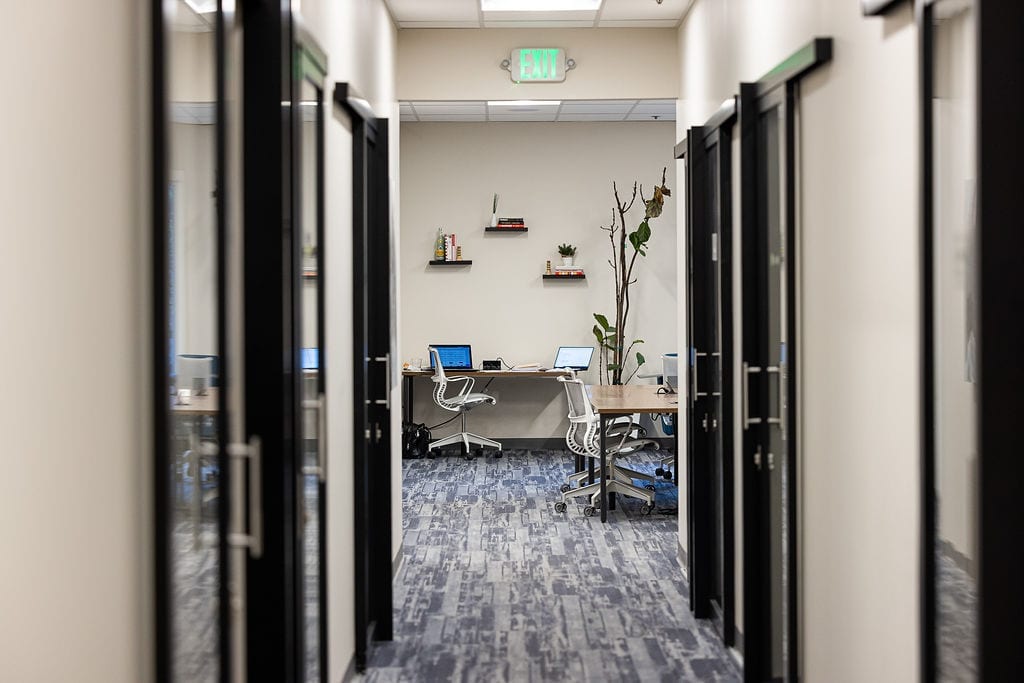
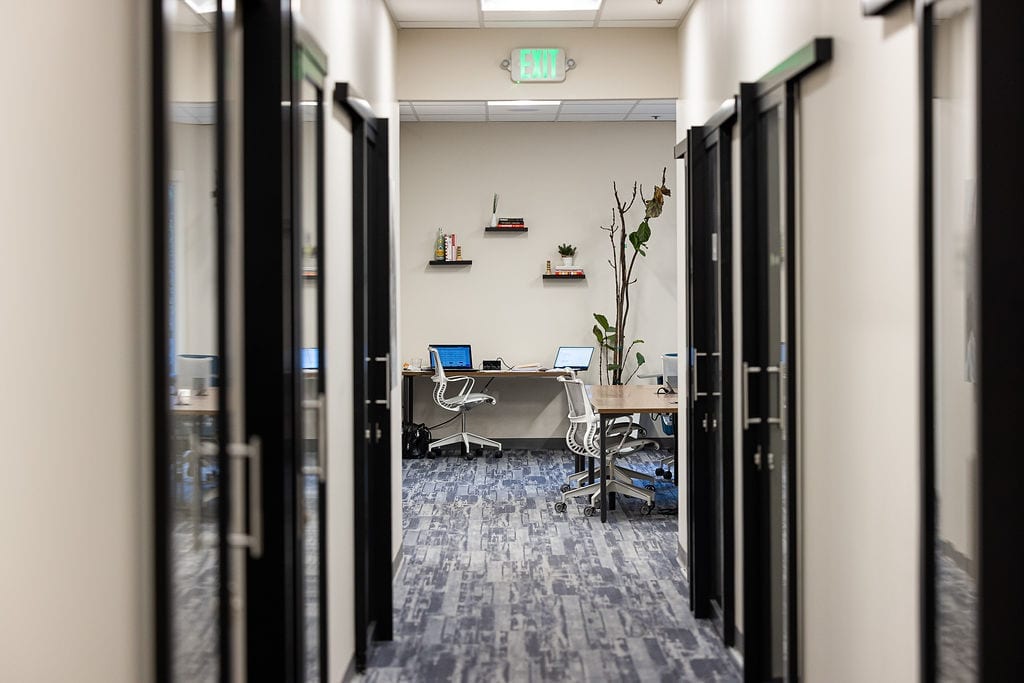
    Glass-door corridor of furnished private offices at Granite City Workspaces in Folsom

    Should you choose coworking or a traditional long-term lease?

    Coworking usually wins for small or changing teams because it reduces commitment risk, upfront setup, and day-to-day office management. A traditional lease becomes more reasonable when your team size, layout, and capital plan are stable enough to justify taking on the responsibility.

    A traditional lease can provide more control over branding, construction, furniture, and layout, but it can also require tenant improvements, utilities, internet, cleaning, maintenance, insurance, and furniture before the team is fully productive.

    Coworking changes the risk profile. At Granite City Workspaces, coworking and private office plans are month-to-month. Private offices are furnished, and amenities such as Wi-Fi, printing, kitchen access, and shared work areas are already in place. That does not make coworking universally cheaper, but it makes the commitment easier to adjust.

    This flexibility matters for a company opening a Folsom or Sacramento-area outpost, a recently funded startup, or a distributed team testing a local base. JLL’s analysis of the flexible office space imperative describes flexible space as a strategic capability as AI-driven workforce transformation makes long-term workforce and real estate planning harder. JLL also reports that global office utilization averages 54%, compared with a 79% average corporate target.

    Is coworking better than working from home in Folsom?

    Coworking is worth considering when the home office is creating friction around focus, professional calls, reliable connectivity, or local business relationships. Working from home remains reasonable when privacy, cost control, and household conditions support the work without recurring problems.

    The direct cost of working from home can look low because the rent or mortgage already exists. The real comparison includes the extra desk and chair, monitor, lighting, internet upgrades, heating and cooling, and the cost of using a home address for client-facing work.

    A home office may place work next to household chores, deliveries, family responsibilities, or a room that was never designed for long calls. Coworking does not guarantee productivity, but it creates a clearer boundary between personal time and work time. Granite City also provides private meeting rooms, fast private Wi-Fi, free parking, and multiple work environments.

    The Bureau of Labor Statistics 2025 American Time Use Survey table reports that 31.9% of wage and salary workers worked at home on an average day in 2025. That figure describes whether people worked at home on the surveyed average day; it does not mean that 31.9% of workers were fully remote.

    For Folsom professionals, the choice is often not home or coworking every day. A flexible pattern can work better: home for quiet administrative work, coworking for focused production, and a meeting room for client conversations. Granite City’s location at 705 Gold Lake Dr, Suite 250, in Historic Downtown Folsom keeps that option close to El Dorado Hills, Rancho Cordova, Sacramento, and Hwy 50.

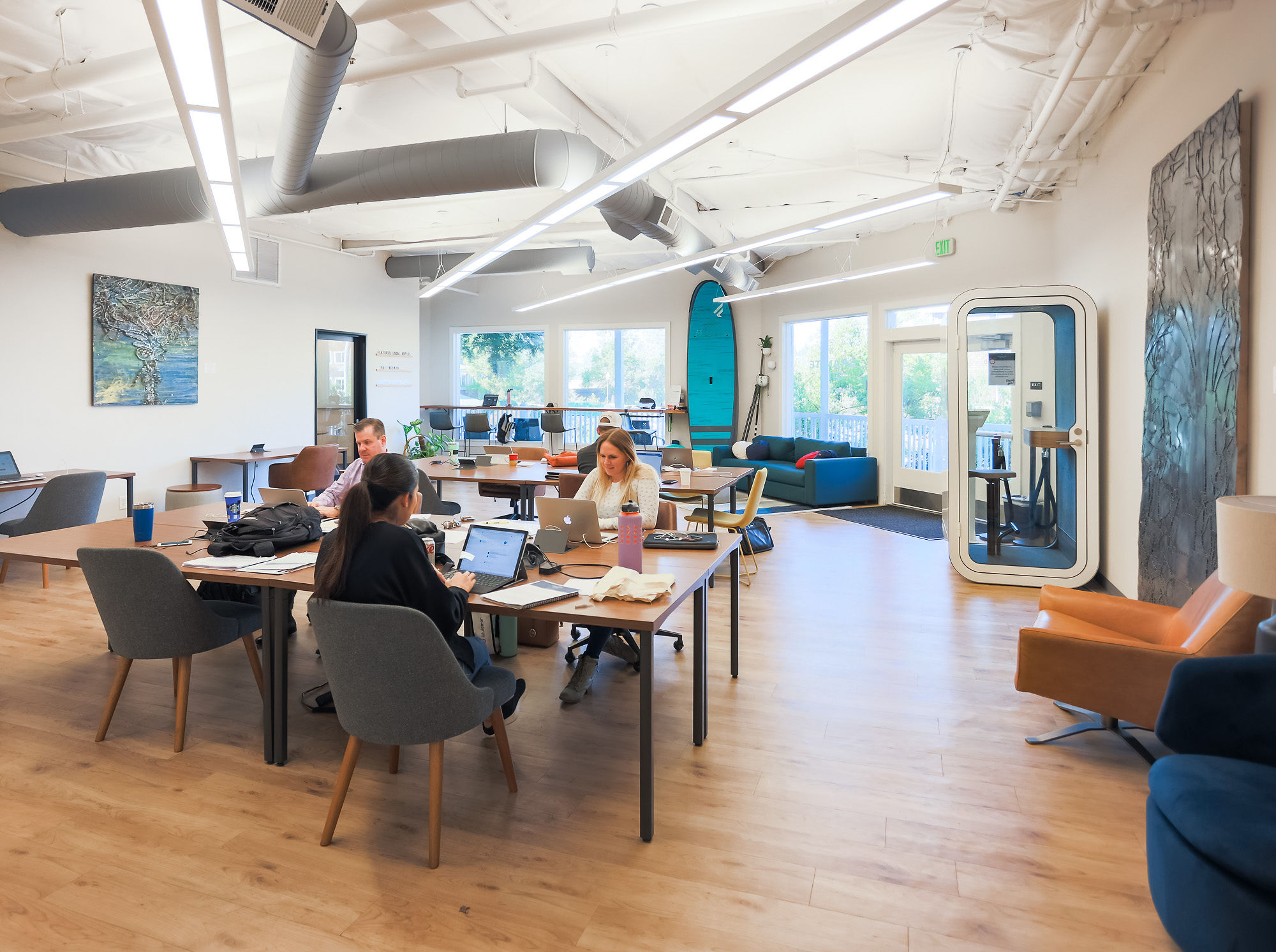
    Open coworking floor with shared desks and natural light at Granite City Workspaces

    When does a dedicated desk beat open coworking or a private office?

    A dedicated desk makes sense when you work in person most weekdays and want a consistent workstation, but you do not need a lockable room. It sits between open coworking and a private office in privacy and cost.

    Open coworking suits a varied schedule: choose a Day Pass or monthly plan without paying for a reserved workstation you may not use. A dedicated desk is different: your desk is reserved, your equipment can stay in place, and locking storage reduces daily setup and teardown.

    The current Granite City Dedicated Desk plan is $365 per month. It includes 24/7 building access, locking storage, mail services, all amenities, and a $75 monthly meeting-room credit. That can be practical for a solo consultant, advisor, or remote professional who works from Folsom most days and occasionally needs a private meeting room.

    A private office is the better choice when you need an enclosed door, frequent confidential calls, secure documents, or space for a second person. A traditional lease is the better choice only when the team is stable enough to absorb setup and management responsibilities.

    Do not choose a dedicated desk because it sounds like the most professional option. Choose it when consistency solves a real problem. If you still work from home several days a week and do not need to leave equipment onsite, open coworking may be the more sensible starting point.

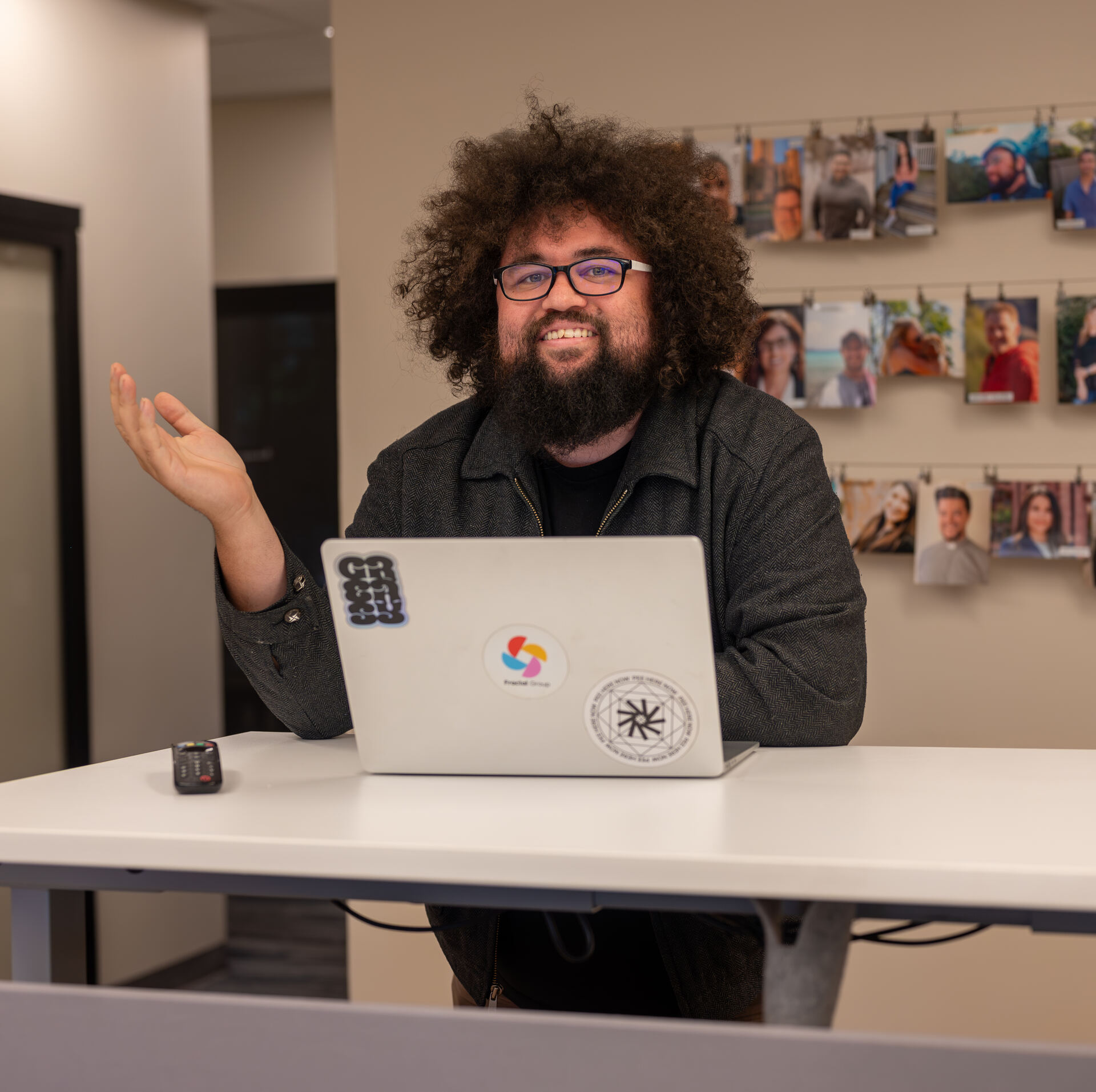
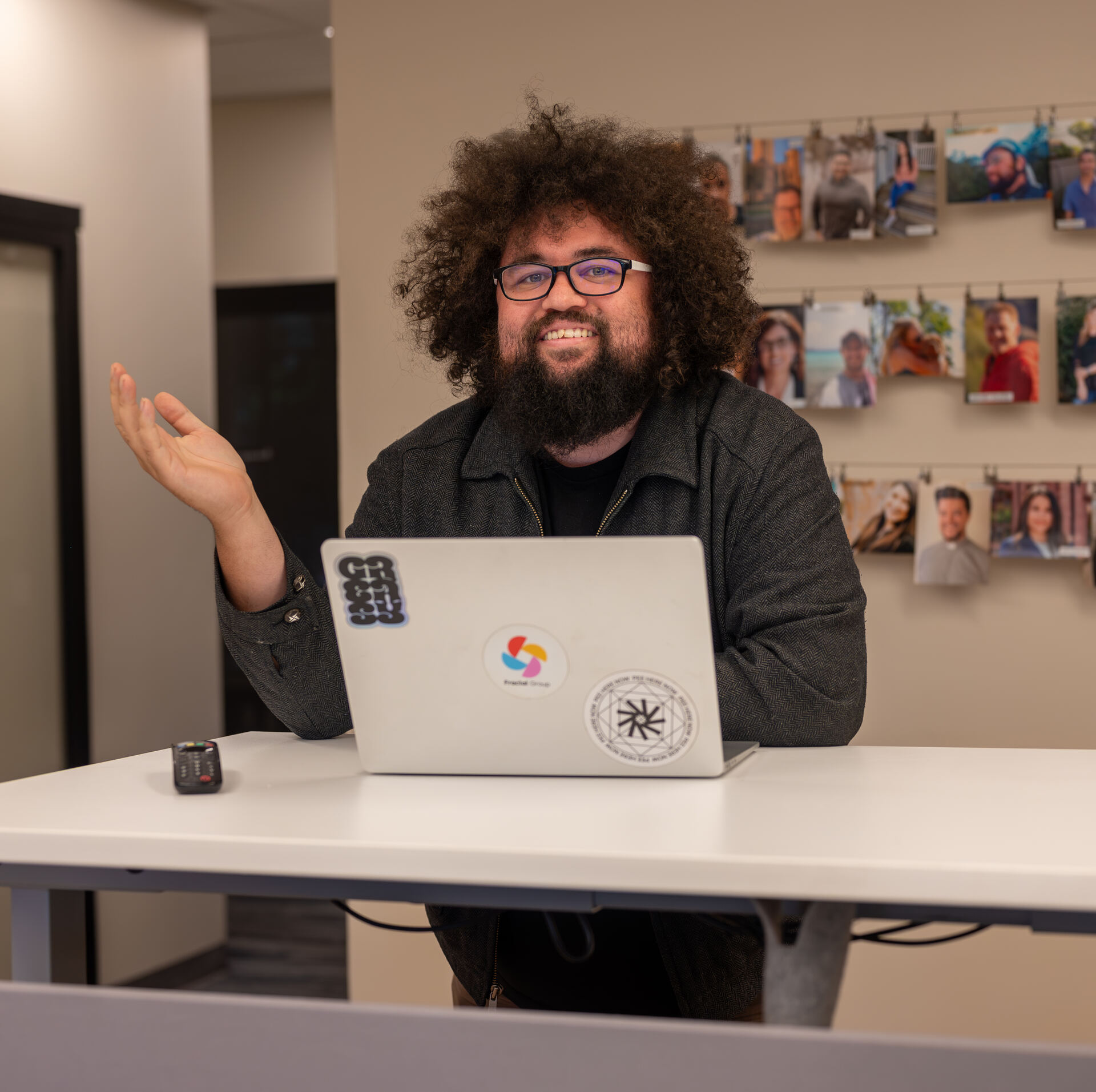
    Quiet member working at a laptop in Granite City Workspaces, Historic Downtown Folsom

    What is the simplest way to make the decision?

    Use four questions: how many days will you work outside home, how much privacy do you need, how stable is your team size, and how much office management do you want to handle?

    If you work occasionally, start with a day pass or a flexible coworking plan. If you work most weekdays alone, compare Workday, 24/7 Coworking, and the Dedicated Desk. If you need an enclosed room for yourself or a small team, review the currently published private office options from $575 per month without assuming a particular office is available. If your team is large, stable, and ready to fund a custom buildout, evaluate a traditional lease separately.

    For how the decision changes with team growth, read which setup is right for your business growth: coworking or a private office. You can also review the overlooked costs of working from home before assuming the lowest monthly payment is the lowest total cost.

    If you want to compare the options in person, tour Granite City Workspaces in Historic Downtown Folsom before you commit.

    What should you check before choosing your next setup?

    Is coworking month-to-month at Granite City Workspaces?
    Yes. Granite City coworking plans are month-to-month, so members can adjust access without signing a traditional long-term lease.

    How much does a dedicated desk cost in Folsom?
    Granite City’s currently published Dedicated Desk plan is $365 per month and includes a reserved desk, 24/7 access, locking storage, mail services, and a $75 monthly meeting-room credit.

    Are Granite City private offices furnished?
    Granite City private offices are currently published as furnished, month-to-month offices for teams of 1–10, from $575 per month.

    Can I work from home and use coworking part-time?
    Yes. A hybrid arrangement can combine home-based work with a Day Pass or monthly coworking plan for focused work and professional calls.

  • TEDxFolsom in Folsom: Granite City’s Story

    TEDxFolsom in Folsom: Granite City’s Story

    TEDxFolsom is an independently organized TEDx program that brings speakers and a local audience together around ideas worth spreading. TEDxFolsom in Folsom matters to Granite City and the Folsom community because the chapter’s earliest organizing happened at Granite City in 2021, before Granite City later became an official sponsor of TEDxFolsom REIMAGINE 2023. This is a story about Granite City’s role as a venue host, production home, advisor, and sponsor: not about Granite City running TEDxFolsom’s organization.

    How did Granite City first become involved with TEDxFolsom?

    Granite City became involved during TEDxFolsom’s formative period in 2021, when the founding organizing team held its earliest meetings at Granite City. According to Granite City’s own account, Granite City leadership advised the chapter while the event was taking shape.

    TED's official TEDxFolsom 2021 event record confirms that TEDxFolsom’s first program, themed RE-IMAGINE, took place on November 7, 2021, in Folsom, California. The same record identifies TEDxFolsom as an independently organized TEDx event and lists its official organizing roles separately from Granite City’s local contribution. Kara Edwards is listed as organizer, while Srinivas Modekurty is listed under production.

    That distinction matters. Granite City was not the official organization behind TEDxFolsom. Granite City’s role was local and practical: providing a place for early conversations, serving as the venue and production home for the 2021 program, and offering advice during the chapter’s formative period.

    The early meetings were significant because community programming usually starts before there is an audience, a polished program, or a finished stage. It starts with people working through the first decisions together. Granite City’s account is that TEDxFolsom’s founding organizing team used Granite City for those earliest conversations and that Granite City leadership helped advise the chapter as the first program developed.

    A July 21, 2021, Thrive Global interview with Granite City cofounder Kyle Middleton also referenced “Granite City Event Center being home to TedX Folsom this Fall.” Matthew Loughran wrote the interview; Loughran later became TEDxFolsom’s Executive Director.

    What happened at the first TEDxFolsom program in 2021?

    The first TEDxFolsom program took place in Folsom on November 7, 2021, under the theme RE-IMAGINE, with Granite City serving as the venue and production home according to Granite City’s own account.

    The program brought together a range of speakers for a local TEDx audience. Among the 2021 speakers was Julia A. Nicholson, whose talk, “The Way We Think About Loss and Grief is Dead Wrong”, is published on TED.com.

    Nicholson’s talk gives a useful example of the type of idea the program made available to its audience. TED.com describes the talk as presenting a framework for responding to loss and grief. The talk was presented to a local audience at TEDxFolsom and remains available through TED’s platform.

    For Granite City, the 2021 program represented more than a date on a calendar. It reflected the practical side of community programming: providing a functioning local setting where an organizing team could meet, prepare, and produce a program for the Folsom community.

    That work also fits Granite City’s broader approach to local relationships. In the 2021 Thrive Global interview, Middleton described Granite City’s interest in supporting the local community through connections with organizations, nonprofits, and the regional technology ecosystem. The TEDxFolsom connection grew from that same practical orientation.

    The most accurate description is straightforward: Granite City hosted and supported the early work, while TEDxFolsom remained an independently organized organization with its own official leadership and responsibilities.

    When did Granite City become an official TEDxFolsom sponsor?

    Granite City became an official TEDxFolsom sponsor in 2023, not in 2021. The formal sponsorship was for TEDxFolsom REIMAGINE 2023.

    The timing marks a clear transition in Granite City’s role. In 2021, Granite City was the venue and production home for the first program and an advisor during the formative period. In 2023, Granite City’s support became a formal sponsorship relationship.

    TEDxFolsom’s credential issued to Granite City Coworking on February 28, 2023 identifies Granite City as an “Official TEDxFolsom Sponsor and community member” for TEDxFolsom REIMAGINE 2023. The credential description states that Granite City provided sponsorship for TEDxFolsom REIMAGINE 2023.

    That documentation gives the relationship a specific sequence:

    1. TEDxFolsom’s founding organizing team held early meetings at Granite City in 2021.
    2. Granite City served as venue and production home for the first program, according to Granite City’s own account.
    3. TEDxFolsom later held its first live-audience event at the Harris Center on January 21, 2023.
    4. Granite City became an official sponsor of TEDxFolsom REIMAGINE 2023.

    The sequence is worth preserving because it avoids overstating the relationship. Sponsorship did not begin with the first 2021 program. Granite City’s official sponsorship began with REIMAGINE 2023, after the chapter had moved toward its first live-audience event at the Harris Center.

    The Town Hall meeting room at Granite City Workspaces in Historic Downtown Folsom, showing the local infrastructure available for organized community work

    How did TEDxFolsom’s first live-audience event change the story?

    TEDxFolsom’s first live-audience event took place at the Harris Center on January 21, 2023, marking a new stage after the chapter’s 2021 program.

    A TEDxFolsom press release published through Authority PressWire calls the Harris Center program the organization’s “inaugural live-person event.” The release describes TEDxFolsom as an independently organized event licensed by TED and identifies REIMAGINE as its theme.

    That wording helps clarify the difference between the two moments. The 2021 program established TEDxFolsom’s first program in Folsom, with Granite City serving as venue and production home according to Granite City’s account. The January 2023 event established TEDxFolsom’s first live-audience event at the Harris Center.

    Granite City’s role also changed during that period. The early work was centered on hosting, production support, and advice. By REIMAGINE 2023, Granite City was formally recognized as a sponsor and community member.

    This kind of progression is familiar to local organizations. A relationship may begin with a conversation or a place to meet. It can develop through practical support before becoming a formal sponsorship. Each stage has a different meaning, and each should be described accurately.

    That same practical distinction also matters in how local operators think about workspace use. Our guide to coworking vs. private office for business growth breaks down how different roles call for different kinds of support.

    For readers interested in how Granite City connects to the wider regional business community, our overview of the Hwy 50 AI Corridor and startup growth provides additional context about Granite City’s location and regional orientation.

    What does Granite City’s TEDxFolsom history mean today?

    Today, Granite City remains a listed TEDxFolsom sponsor, while TEDxFolsom continues to operate as an independently organized local program.

    TEDxFolsom’s current About page lists Granite City among its supporting sponsors. That current listing connects the formal 2023 sponsorship to the relationship visible today, without changing the roles established during the earlier period.

    Granite City’s story with TEDxFolsom is therefore best understood as a local community history with four distinct roles: venue host, production home, formative-period advisor, and later official sponsor. Granite City supported the chapter without operating TEDxFolsom’s official organization.

    That distinction is important to us. Community programming works best when each organization brings its own responsibility and identity to the relationship. Granite City provided local infrastructure and support. TEDxFolsom organized its independently licensed program. Speakers brought ideas to the Folsom community. The result was a connection that developed over time, from early meetings in 2021 to official sponsorship beginning with REIMAGINE 2023.

    For Granite City, this history is part of what it means to operate in Historic Downtown Folsom. We believe a local workspace can be useful beyond ordinary workdays: as a place where organizers meet, ideas develop, and community organizations build something that belongs to Folsom.

    If you’d like to learn more about Granite City’s role in the Folsom community and the ways people use Granite City Workspaces, learn more about Granite City and work here.

    What should readers know about Granite City’s TEDxFolsom role?

    Granite City’s role developed from venue host and production home in 2021 to official sponsor of TEDxFolsom REIMAGINE 2023. Granite City did not run TEDxFolsom’s official organization.

    When did TEDxFolsom’s first program take place?
    TEDxFolsom’s first program, themed RE-IMAGINE, took place on November 7, 2021, in Folsom, California.

    What was Granite City’s role in the 2021 TEDxFolsom program?
    According to Granite City’s own account, Granite City was the venue and production home for the 2021 program. The founding organizing team also held its earliest meetings at Granite City, where Granite City leadership advised the chapter during its formative period.

    When did Granite City become an official TEDxFolsom sponsor?
    Granite City became an official sponsor of TEDxFolsom REIMAGINE 2023. A TEDxFolsom credential confirming that sponsorship was issued to Granite City Coworking on February 28, 2023.

    Where did TEDxFolsom hold its first live-audience event?
    TEDxFolsom held its first live-audience event at the Harris Center on January 21, 2023. TEDxFolsom’s press release describes it as the organization’s “inaugural live-person event.”